Launch the paper and follow it live
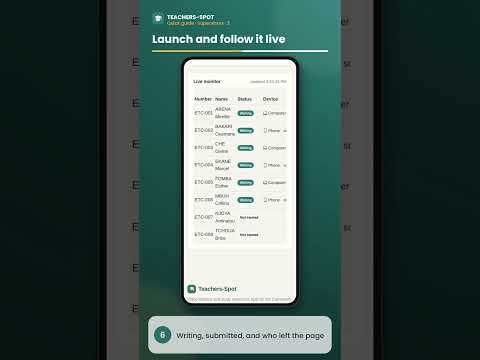
Candidates wait on the exam page. At the paper's time you press Launch, then watch the live monitor.
In short
- 1Seat candidates
- 2Launch at the time
- 3Live monitor
- 4Details
Step by step
- Seat the candidates. They open the exam page with the code (and, for open exams, their number and PIN) and wait.
- At the scheduled time the button Launch the paper opens — not before. Press it when everyone is ready.
- The live monitor refreshes every 5 seconds: writing, submitted, left the page. Open Details for a candidate's departures (and screenshots on computers).
- Late by a few minutes? The organiser is alerted automatically. Launch as soon as you can.
- When time is up, every paper is submitted and marked. The organiser gets the marklist.
Good to know
- You never see the marking guide or the marks: only the organiser does.
Video
The video loads only when you press play, so no data is used before.